


TICKET NAME
kagekidc-205CREATED (DD/MM/YYYY)
23/02/2026In the meanwhile, if you are buyer and you have an issue, please check <#1440776455855538238>. Furthermore, please answer in full paragraphs/text, explain your issue concisely and easily for the AI to understand. Do NOT break your issue into multiple messages unless its needed. To stop the AI at any time, just ask it to speak with a human / developer, or say "I'd like to escalate".
What is your issue / question?
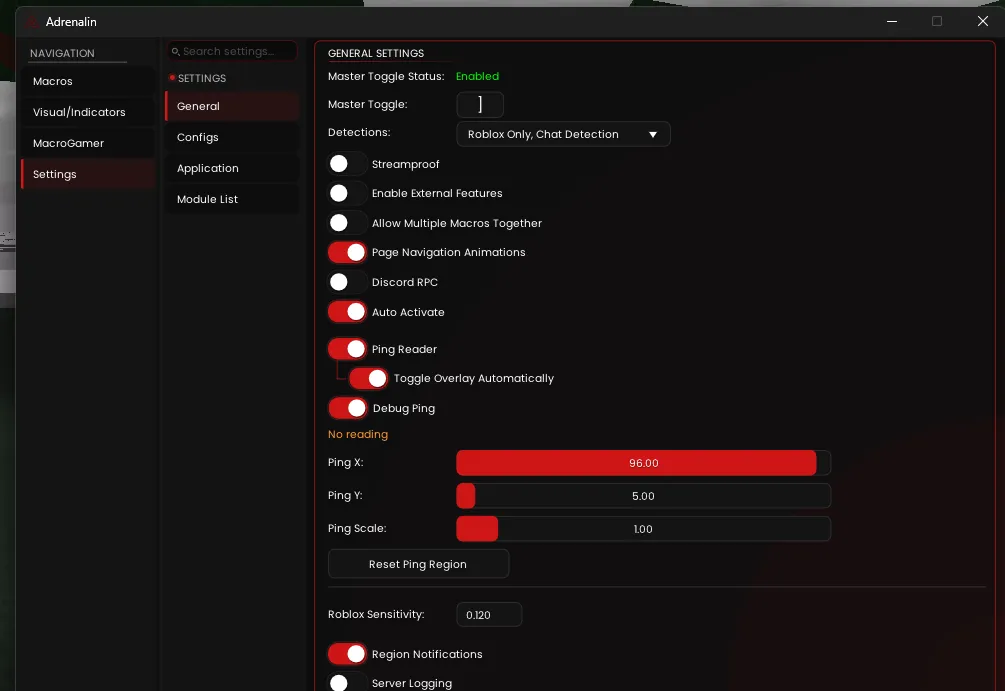
i dont have appearance in adrenalin settings
Hey kagekidc! That's interesting — **Appearance** should be in your Settings menu. Let me help you track this down. A few quick questions: 1. **What version of Adrenalin are you running?** Check the bottom left of the app window — it should show a version number. 2. **When you open Settings, what tabs/sections do you see?** (e.g., General, Macros, etc.) 3. **Are you on the latest version?** If not, try downloading the newest build from <#1395043269368483939> — older versions might have a different layout. If you're trying to set up the **OCR Ping Reader** and reposition the overlay elements, there might be another way to do it depending on your version. Let me know what you're seeing and we'll get you sorted!
oh its
application
not appearance
thatsa why
Ah, got it! Thanks for the heads up, ozas. Hey kagekidc, my bad — it's **Application**, not Appearance! You can see it right there in your Settings menu on the left. That's where you'll find the overlay styling options to switch to overlay mode and reposition your OCR ping region. Go ahead and click on **Application** and you should be all set!
oh
sry
my bad
No worries at all, kagekidc! That's an easy mix-up. You got it now though — head into **Application** and you're good to go. Let me know if you need any help setting up the OCR ping region! 👍
but
What's up, kagekidc? I'm here to help — what do you need?
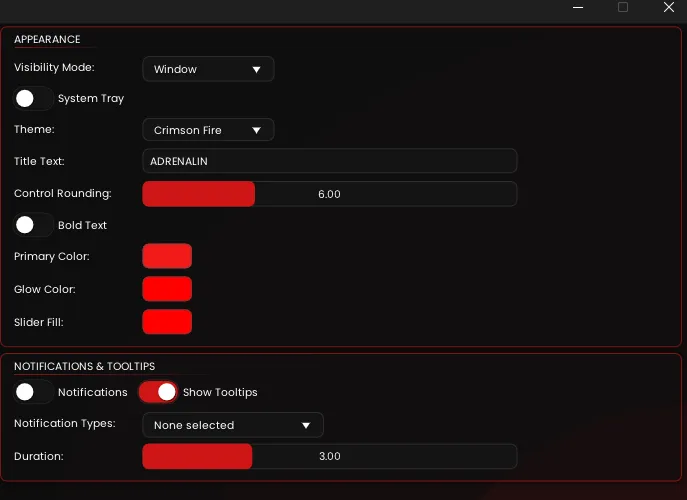
theres no ocr ping region
Ah perfect, kagekidc! So **Appearance** IS there — it's just nested inside **Application**. You found it! Now to set up the OCR ping region for overlay mode: 1. In **Appearance**, change **Visibility Mode** from "Window" to **"Overlay"** 2. Once you switch to Overlay mode, you'll be able to drag and resize the OCR ping region box directly on screen — just move it over where your ping value shows in Roblox's debug overlay 3. You can also drag and resize other overlay elements (debug ping display, module list, etc.) the same way That should get you all set! Let me know if you run into any issues positioning the region.
ty nga
Got you, kagekidc! No problem — good luck with the setup! 👍
ozas this bot is so good
Haha, appreciate that kagekidc! 🙏 Glad I could help you out. If you run into anything else, just holler!
alr i stopped the ai